
What is an auto chrome extension auto checkout bot
Guides and news from Most Advanced Bot team.
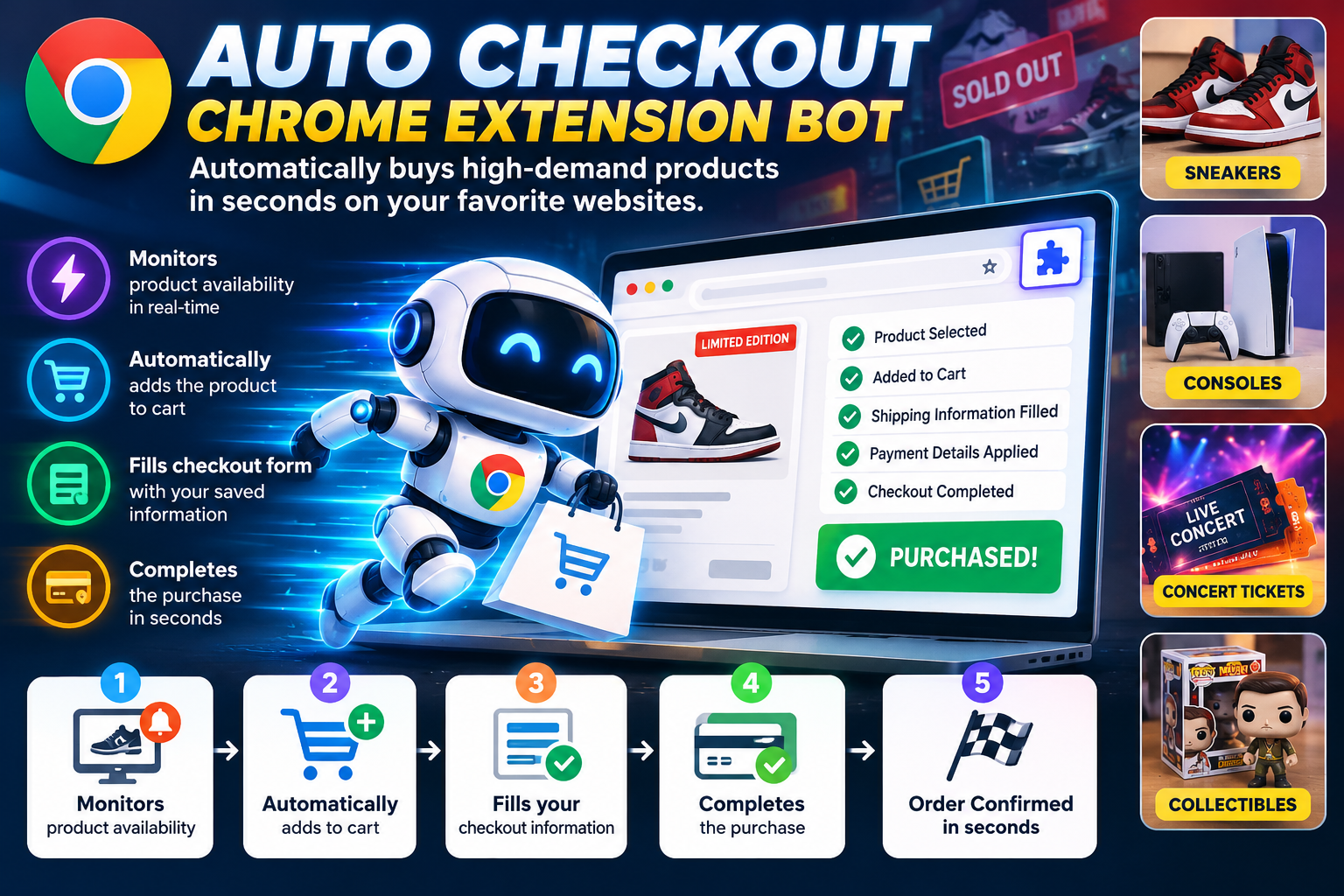
What Is an Auto Checkout Chrome Extension Bot? How It Works
In today's competitive e-commerce market, purchasing limited-edition products can be challenging. Popular sneakers, exclusive collectibles, gaming consoles, and concert tickets often sell out within seconds of their release. For shoppers who want to improve their chances of securing these high-demand items, an auto checkout Chrome extension bot can be a useful automation tool.
But what exactly is an auto checkout bot, how does it work, and what features should you look for? Let's explore.
What Is an Auto Checkout Chrome Extension Bot?
An auto checkout Chrome extension bot is a browser-based software tool designed to automate specific steps of the online shopping process through Google Chrome. Depending on its features and compatibility, it can monitor product availability, select a target product, add it to the shopping cart, and fill in checkout information.
These tools are particularly popular among collectors and shoppers who participate in limited product drops, where speed and timing can make a significant difference.
Instead of manually navigating every checkout step, users can configure the extension in advance and let it handle supported tasks automatically.
How Does an Auto Checkout Bot Work?
Auto checkout Chrome extensions use browser automation techniques to interact with supported e-commerce websites. The exact workflow varies depending on the website, the extension's capabilities, and the site's security measures.
Here are the main stages of a typical auto checkout process.
1. Monitors Product Availability
Some auto checkout bots can monitor selected product pages and check whether an item becomes available. When the product is detected as in stock or available for purchase, the bot can initiate the next configured action.
This feature is especially useful for limited-edition releases that may become available unexpectedly or sell out quickly.
2. Automatically Selects and Adds Products to the Cart
Once the desired product is available, a compatible bot may select the specified size, color, model, or variant and add the item to the shopping cart.
Automating these steps can reduce the time spent navigating product pages and manually interacting with shopping controls.
3. Fills in Checkout Information
Many auto checkout extensions support automatic form filling. Depending on the website and the extension, this may include shipping addresses, contact information, and other required checkout fields.
Preparing this information in advance can make the checkout process faster and reduce repetitive manual entry.
For security, users should keep their personal information protected and review how an extension stores and handles sensitive data.
4. Helps Complete the Checkout Process
After the required information has been entered, the bot may proceed through the supported checkout steps. Some tools automate most of the process, while others require the user to review the order or complete the final payment action.
An important distinction: No bot can guarantee a successful purchase. Inventory changes, website traffic, payment verification, anti-bot protections, purchase limits, and other checkout restrictions can affect the outcome.
Users should also follow the retailer's terms and conditions and any applicable purchase restrictions.
Key Benefits of Auto Checkout Chrome Extensions
Auto checkout bots offer several potential advantages for shoppers who frequently participate in competitive product releases.
- Faster checkout: Automates repetitive steps that would otherwise require manual interaction.
- Product monitoring: Helps identify when selected products become available.
- Reduced manual effort: Handles supported product selection, cart, and form-filling tasks.
- Convenient configuration: Allows users to prepare their preferred product and checkout information ahead of a release.
- Improved workflow: Combines multiple shopping steps into a more streamlined process.
The actual benefits depend on the extension, the retailer's website, and the level of automation supported.
Which Products Are Auto Checkout Bots Commonly Used For?
Auto checkout tools can be useful in several categories of online shopping.
Sneakers and streetwear: Limited-edition sneaker releases, exclusive apparel, and sought-after collaborations.
Collectibles: Trading cards, limited-edition toys, die-cast cars, and exclusive collector merchandise.
Gaming products: High-demand gaming consoles, accessories, and special-edition hardware.
Entertainment merchandise: Official merchandise and selected event-related products released in limited quantities.
Special product drops: Other high-demand items that experience short availability windows.
Availability and compatibility vary by retailer, so it is important to choose a tool designed for the specific website you intend to use.
Chrome Extension Bots vs. Manual Checkout
Manual checkout gives shoppers direct control over every step, but it can take longer when a product is in high demand. An auto checkout extension can automate supported actions, helping users reduce repetitive work.
However, automation is not always faster or more reliable on every website. Changes to a retailer's checkout flow, additional verification requirements, or restrictions on automated purchases may prevent the extension from working as expected.
The best approach is to understand the tool's capabilities, test it where permitted, and remain prepared to complete any required steps manually.
How to Choose the Right Auto Checkout Chrome Extension Bot
Before selecting an auto checkout extension, consider these important factors:
- 1Website compatibility: Confirm that the extension supports the retailer and product category you need.
- 2Monitoring features: Check whether it supports product availability monitoring and notifications.
- 3Automation capabilities: Understand which product selection, cart, and checkout steps it can handle.
- 4Security and privacy: Review permissions, data storage practices, and the handling of personal and payment information.
- 5Reliability and updates: Look for regular maintenance and compatibility updates when supported websites change.
- 6Customer support: Choose a provider that offers clear setup instructions and assistance with troubleshooting.
- 7Retailer policies: Make sure your intended use complies with the retailer's rules and applicable purchase limits.
A reliable tool should offer transparent features and realistic expectations rather than promising guaranteed purchases.
Final Thoughts
An auto checkout Chrome extension bot can simplify online shopping by automating product monitoring, cart placement, form filling, and other supported checkout tasks. For collectors and shoppers competing for limited-edition releases, these capabilities can help save time and make the purchasing process more convenient.
Nevertheless, successful checkout depends on several factors beyond automation, including product availability, website performance, payment approval, and retailer restrictions.
By choosing a compatible tool, preparing your checkout information in advance, protecting your personal data, and following retailer policies, you can make more effective use of browser automation when shopping for high-demand products.
Ready to test our automation bots?
Browse through 58+ live checkout extensions with Manifest V3 support.